2026-10-30
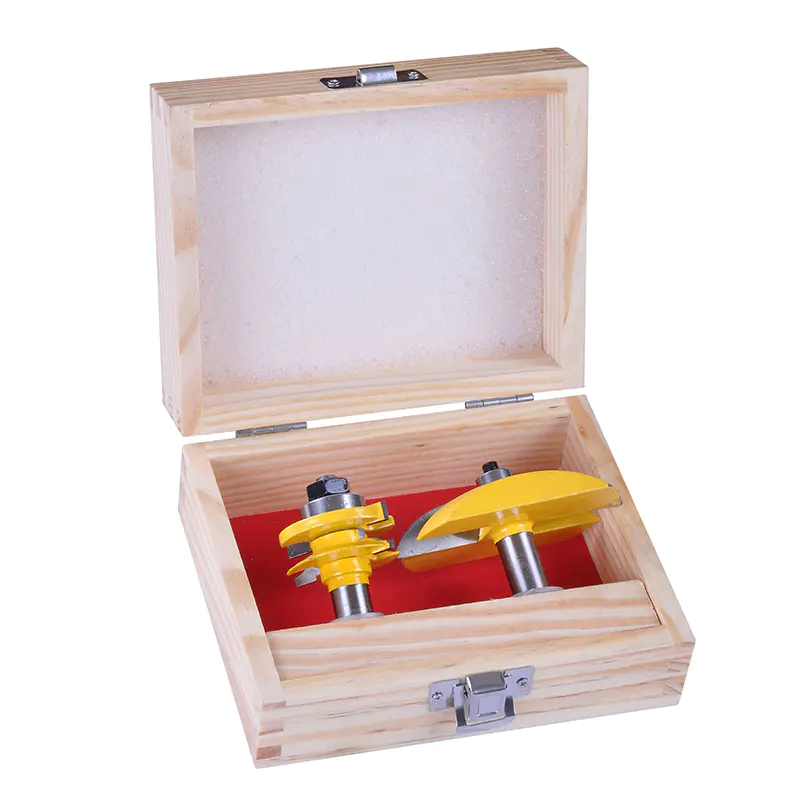
A Router Bit Kit gives you options—grooves, shaped edges, joints, decorative profiles. But every routing job involves a fast-spinning cutter. So inspection and setup aren't optional. A damaged bit, loose collet, wrong speed, or unsecured workpiece can ruin your cut or hurt you. Before you start, check the cutters, confirm compatibility, look over the router and work area, and make sure your protective gear is ready. A consistent pre-use routine cuts avoidable risks and helps you get reliable results.
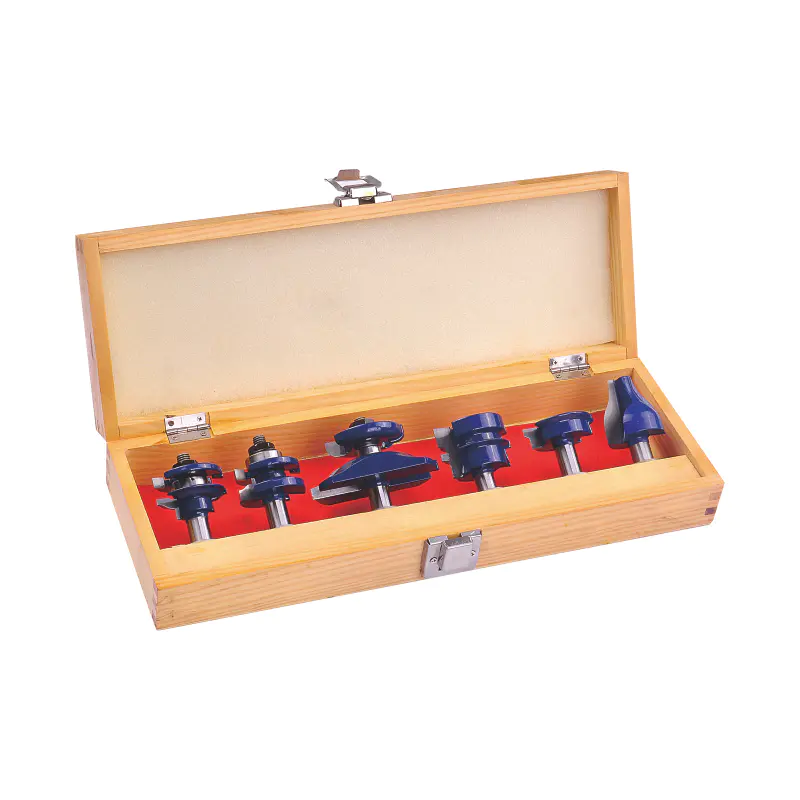
Look at each bit in the kit under good light. Check cutting edges, carbide tips, brazed joints, shanks, bearings if fitted. Watch for chipped carbide, cracks, bent shanks, loose parts, corrosion, heavy resin buildup. Even small defects can mess up cutting performance or become dangerous at high speed. Clean dirty bits with a cleaner the manufacturer approves. Don't use a cutter with damaged edges, loose carbide, or a visibly bent shank. Replace defective bits or have them serviced by a qualified pro. Bearing-guided bits need extra attention. Make sure the bearing spins smoothly and isn't loose or damaged. A bad bearing throws off the cutting profile.
Not every bit fits every router. Before installation, verify the shank diameter matches the router's collet and the cutter suits the machine and job. A poorly fitting shank can slip or get unstable. Never force an incompatible bit into a collet. Never use an adapter unless it's specifically approved for that equipment. Maximum RPM is another key check. Large-diameter cutters usually need lower speeds than smaller ones. Exceeding a bit's rated speed increases mechanical stress and creates dangerous conditions. Check specs for both router and bit. Set speed within the permitted range for the cutter, material, and operation. When instructions differ, follow the applicable manufacturer limits and don't exceed the lowest relevant maximum rating.
Before mounting a bit, disconnect the router from power or pull the battery. This prevents accidental startup while you handle the cutter. Inspect the collet and collet nut for dirt, resin, wear, visible damage. A contaminated or worn collet may not grip the shank correctly. Clean components per the router manufacturer's instructions. Replace defective parts. Install the bit to the recommended shank engagement depth. Keep the collet clear of the cutting flutes. Follow the manufacturer's instructions for insertion depth and tightening. Secure the bit with the correct wrench and tightening procedure. Before restoring power, confirm the bit is firmly held, the base is secure, all adjustments are locked, and the wrench is removed.
Workpiece movement causes routing errors and injuries. Before starting, check the material is stable and supported throughout the cut. Use clamps, a suitable router-table fence, or appropriate work-holding equipment. Keep the cutting path clear of nails, screws, staples, other embedded objects that could damage the bit. The work area should be clean, dry, free of unnecessary tools or offcuts. Check the power cord can't contact the cutter or obstruct movement. Verify guards, fences, dust-extraction equipment are correctly installed where applicable. For router-table work, confirm the fence and any required insert or guard are positioned right. Use a push block, push stick, featherboard, or suitable jig when appropriate.
Get your protective gear ready before switching on the router.
Don't wear gloves near an exposed rotating cutter—they can get entangled. Follow the equipment manufacturer's safety instructions and keep hands outside the cutting zone.
Before routing the finished workpiece, confirm the bit is installed correctly, speed setting is appropriate, and the workpiece can be controlled throughout the cut. Where equipment and procedure permit, start the router with the cutter clear of the workpiece. Listen for unusual vibration or noise. Stop immediately if the machine behaves unexpectedly. Wait until the cutter has completely stopped before inspecting or adjusting. Make a test cut on scrap material of similar thickness and composition. Check cut quality, depth, profile, overall stability. Confirm correct feed direction in the router manual. Conventional routing generally helps the cutter push the workpiece against its intended guide surfaces. Avoid climb cutting unless the method is specifically appropriate for the setup and the operator has the required experience and controls.
| Safety check | What to verify | Action if a problem is found |
|---|---|---|
| Bit condition | No cracks, chips, loose tips, or damaged bearings | Remove the bit from service |
| Compatibility | Correct shank diameter and approved application | Select a compatible cutter |
| Speed setting | Within the bit's and router's rated limits | Adjust before operation |
| Collet and installation | Clean components and correct shank engagement | Reinstall or replace damaged parts |
| Workpiece and fence | Stable stock, secure guides, clear cutting path | Reposition and secure the setup |
| Guards and PPE | Required guards and protective equipment in place | Correct the issue before starting |
| Test cut | Stable operation and acceptable results | Stop and troubleshoot the setup |
Follow a reliable pre-start routine every time you use a Router Bit Kit—even for short jobs or familiar cuts. Changes in cutter size, material, router speed, or workpiece geometry introduce new risks. Keep the manufacturer's instructions accessible. Record successful settings for repeat work. Remove defective bits from service immediately. Never adjust the bit, clear jammed material, or reach into the cutting area while the router is powered. A consistent inspection routine helps you spot hazards before they become incidents. By checking the cutter, verifying compatibility and speed, securing the workpiece, and confirming protective measures, woodworkers can create a safer working environment and maintain consistent cutting quality.
KEEP IN ToUCH

Rongcheng specializes in manufacturing and exporting wood planer bits, auger bits, shovel bits, spade bits, chisels, hammer bits and carbide, etc.
contact us
Address: Shangbutou, Qingjiang, Yueqing, Zhejiang, China
Tel: +86-577-62271200
FAX: +86-577-62276882
E-mail: [email protected]
Follow us

Carbide Hammer Drill Tools Manufacturer

 English
 русский
 Español
 中文简体
中文简体